This guide with screenshots explains how to install The Crew Kodi addon to stream a huge catalog of movies and series.
The process was performed on Kodi 19 Matrix, the latest version available to date, and should work fine on older versions such as Kodi 18 Leia.
The steps described in this post apply to all devices and platforms that support Kodi such as Android, Android TV, Fire TV, Linux, Windows, and more.
If you are new to Kodi, this ultimate guide will help you get started and set up the media center correctly.
Also, although it is not necessary, it is highly recommended to update Kodi to the latest version. Updates are always useful because they fix problems and make improvements.
About The Crew Kodi addon
The Crew Addon is a highly popular and feature-rich extension for Kodi. This addon offers a vast choice of functionalities that greatly boost your streaming experience.
With its intuitive interface and extensive content library, The Crew Addon has garnered a dedicated following among Kodi enthusiasts.
One of the key advantages of The Crew Addon is its immense collection of movies, TV shows, Documentaries, and live TV channels which guarantee unlimited choices for everyone.
Whether you prefer action-packed blockbusters or thought-provoking documentaries, The Crew Addon has you covered.
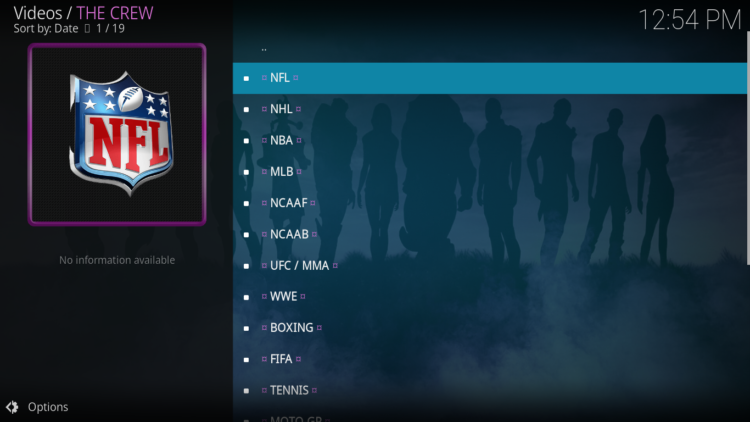
Besides, the Crew Addon offers a dedicated Sports section. Sports enthusiasts can access live sports events, replays, and highlights as well as access thousands of other channels including news sources like CNN and BBC News; entertainment outlets such as HBO Now or ESPN+; sports leagues like Major League Soccer and NBA League Pass; along with tons more
Whether you are a fan of football, basketball, cricket, or any other sport, The Crew Addon ensures that you never miss out on the action.
Moreover, The Crew Addon stands out due to its efficient and reliable streaming capabilities. By using advanced algorithms, this all-in-one addon optimizes streaming quality and minimizes buffering issues, resulting in a flawless viewing experience.
Additionally, The Crew Addon supports various streaming resolutions, allowing you to adjust the video quality according to your preferences and internet connection speed.
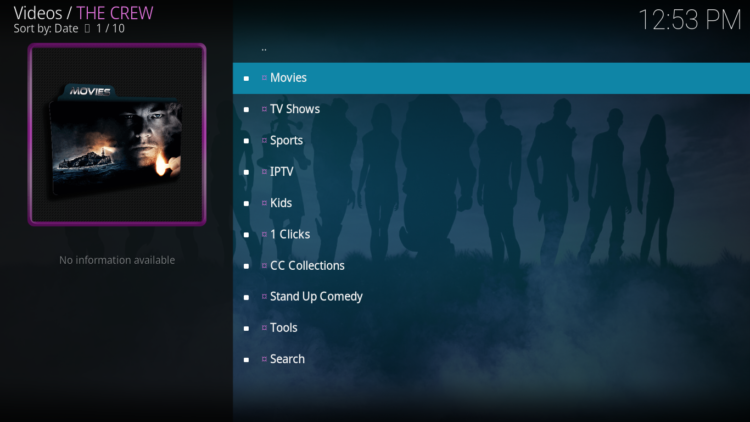
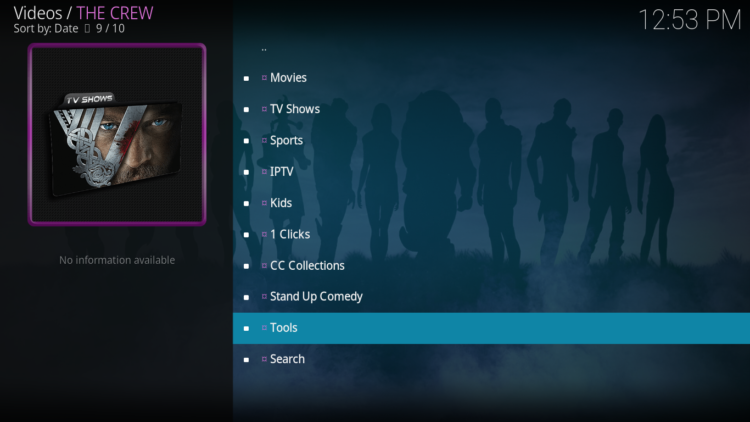
Furthermore, Crew Addon has a simple, minimal yet functional interface. Sections on the main screen include Movies, TV Shows, Sports, IPTV, Kids, 1 Clicks, CC Collections, Stand Up Comedy, Tools, and Search.
The addon also provides useful filters and sorting options to quickly find your desired content.
This all-in-one Kodi addon works by scraping sources from various websites that host live sports streams. These websites are not affiliated with the addon or its developer. The addon simply acts as an aggregator that collects and organizes the links for your convenience.
While Crew Addon offers content for free, it supports the integration of several premium services including Real-Debrid, All-Debrid, Premiumize, and Trakt.tv
With these services, you will be able to keep track of your watching history and get up to 4k quality streaming links for buffer-free streaming.
Thanks to its varied content, good quality playback, and smooth navigation, the Crew addon is considered among the best Kodi addons for all types of media content
NOTE: The Crew Kodi addon offers video content in English for most films, however, you can download subtitles. We show you how this works with the OpenSubtitles addon.
How to install The Crew Kodi addon?
This section will guide you through the necessary steps to install The Crew addon on Kodi. The process is quite simple and consists of three main steps:
- Enable installation from unknown sources
- Install the hosting repository
- Install The Crew Kodi addon
Enable installation from unknown sources.
Keep in mind that the most interesting Kodi addons exist in third-party repositories. This means that before installing a third-party addon, you should allow Kodi to install from unknown sources. This option is disabled by default for security reasons.
- Follow this guide to enable unknown sources on Kodi.
Install the hosting repository
With the unknown sources option enabled, Kodi is now ready to install any addon or repository, regardless of its source.
The Crew Kodi addon is hosted in The The Crew Repository and provides high-quality content with regular updates
- The source URL: http://team-crew.github.io
Our next step will be to install the repository. For this, a media source needs to be added. We have already explained in our corresponding guide how to do this. Otherwise, follow the instructions below:
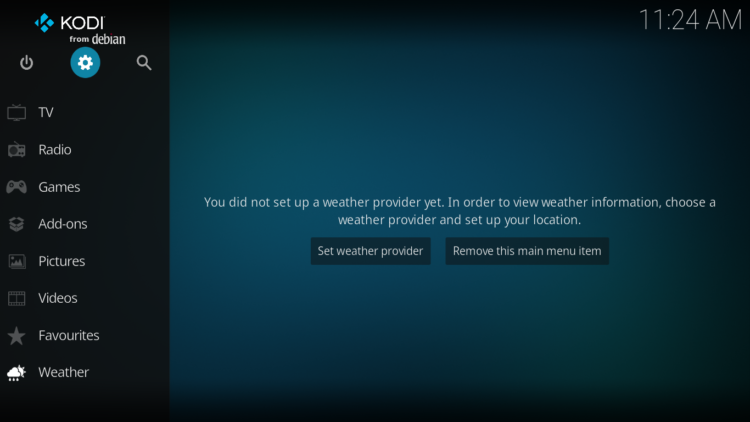
- Launch Kodi and from the home screen, click on the gear icon to access the settings.
- Enter the File Manager
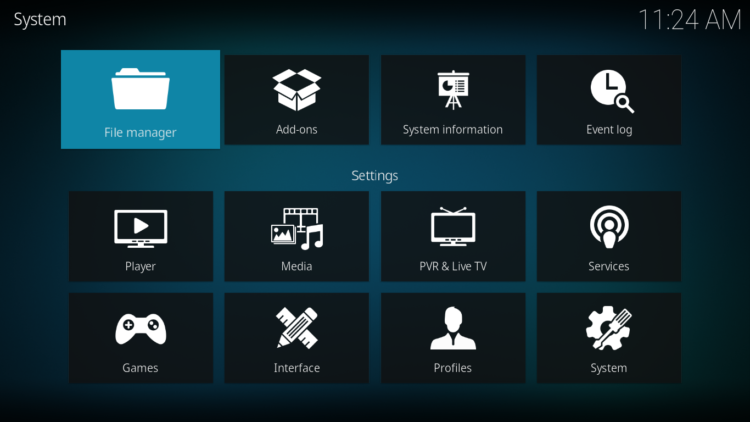
- Select Add Source
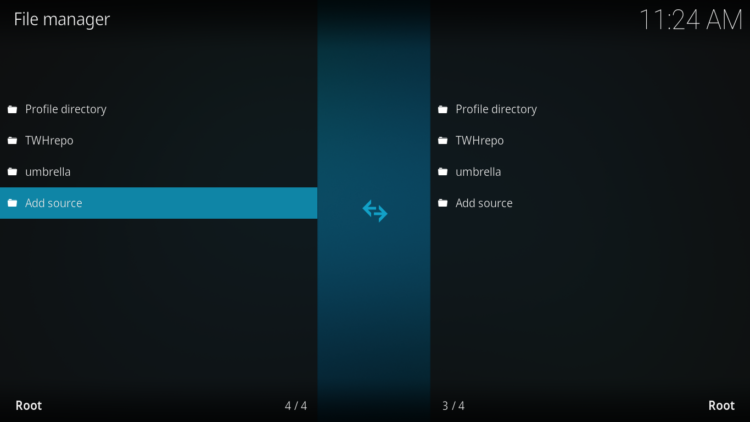
- Double click on “< None >”.
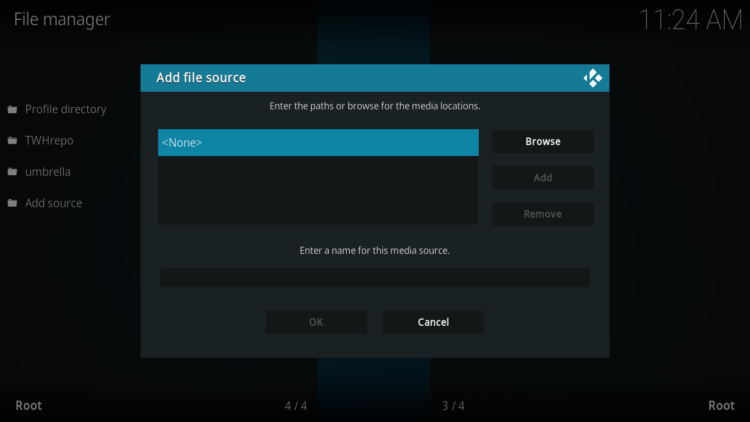
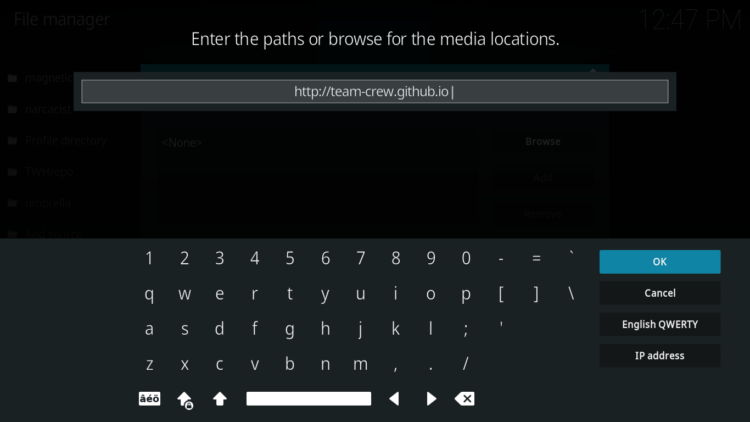
- In the URL bar, type the URL of the media source and press OK :
- http://team-crew.github.io
- Enter a name for this source so you can easily recognize it later, and press OK. In this case we put “Crew“.
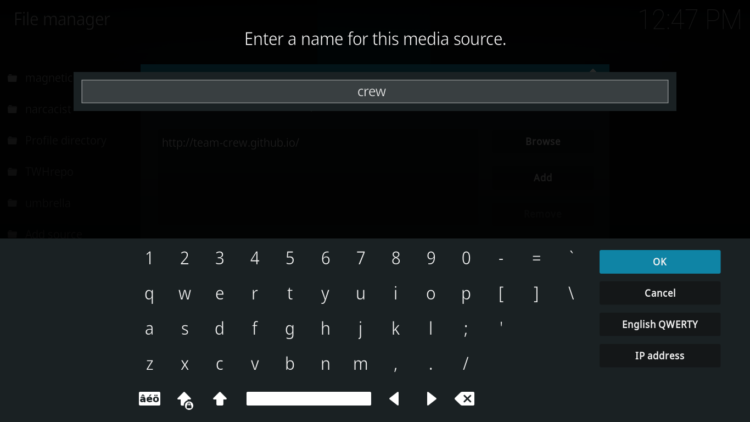
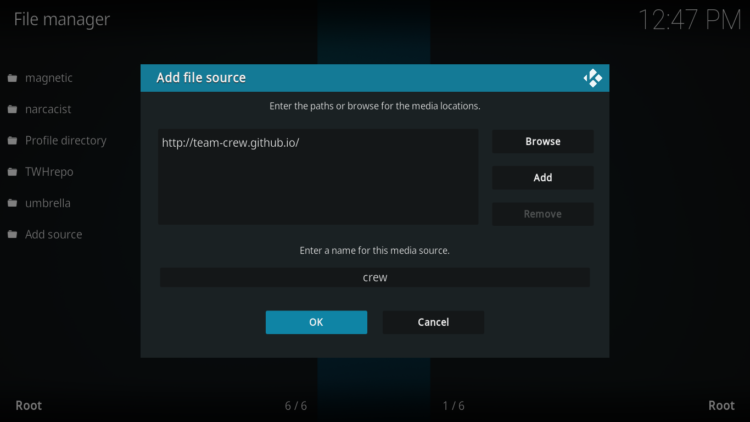
- Again, click OK to confirm
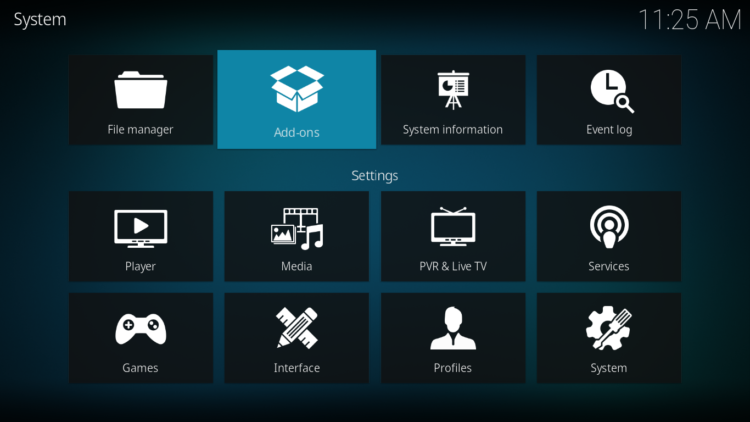
- Now, from the settings page, enter the Add-ons browser “Open box icon“.
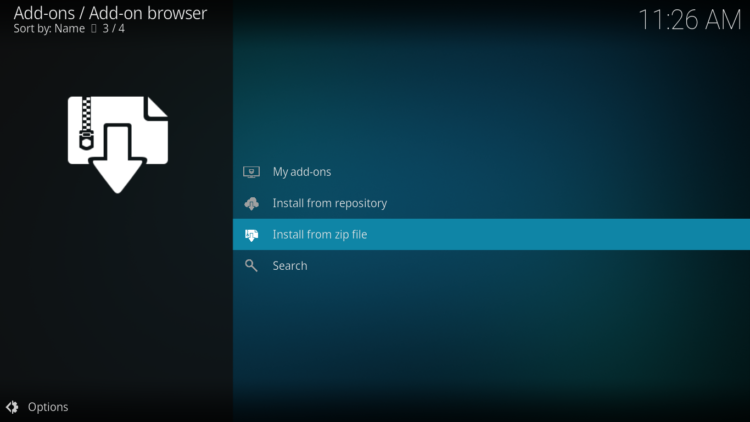
- Select “Install from a Zip file“.
- Click OK to bypass this warning
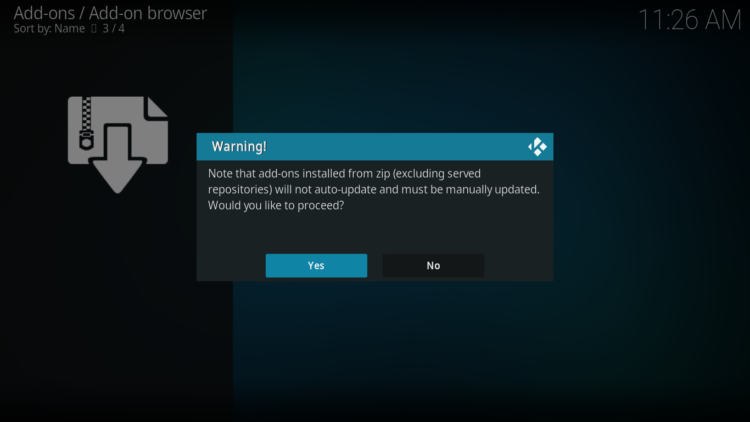
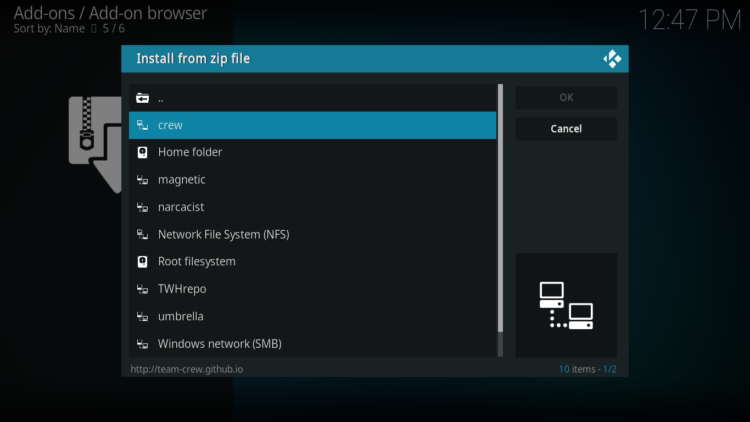
- Find the name of the source you just added in the previous step and click on it.
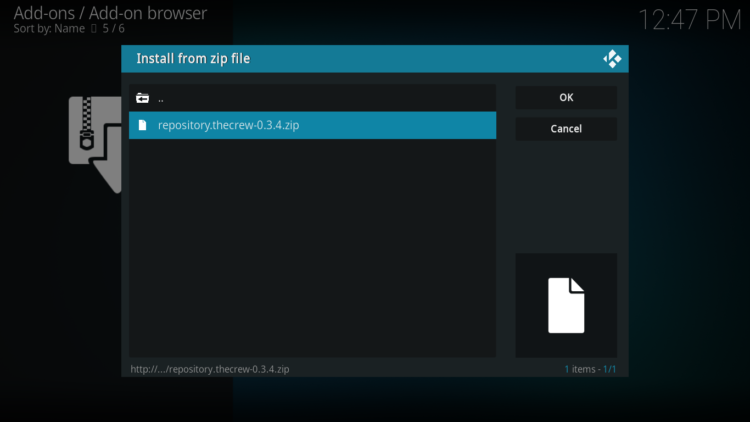
- Select “repository.thecrew-xxx.zip” and click on it.
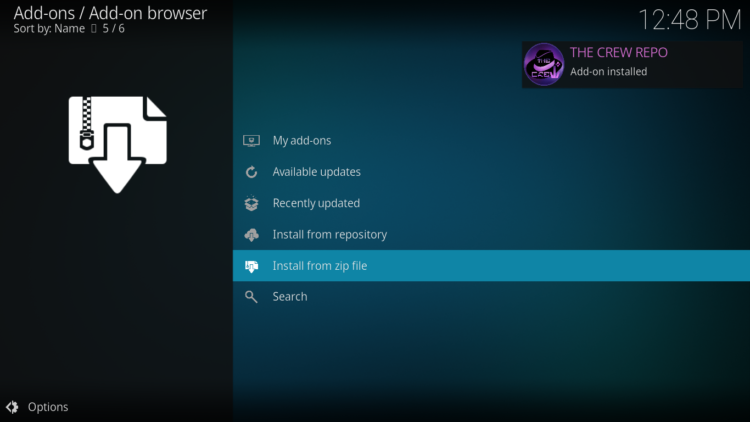
- Wait a few seconds until a popup message appears in the upper right corner telling you that the Repository is installed.
Install The Crew Kodi addon
After successfully installing The Crew repository, we need to install Crew Kodi addon:
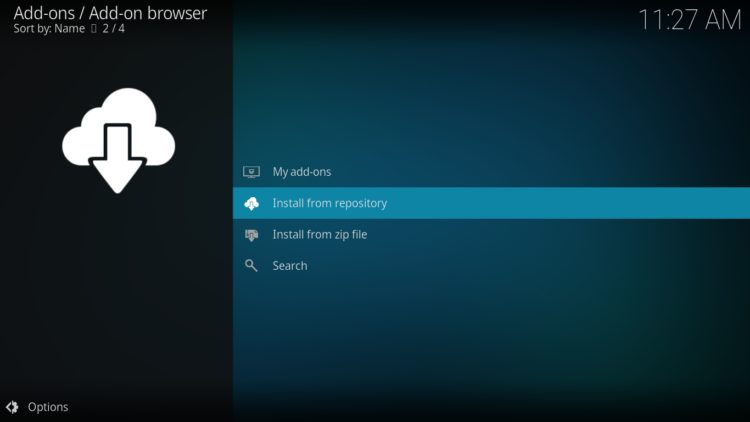
- Again, on the settings page, go to the Add-ons browser and select Install from a repository
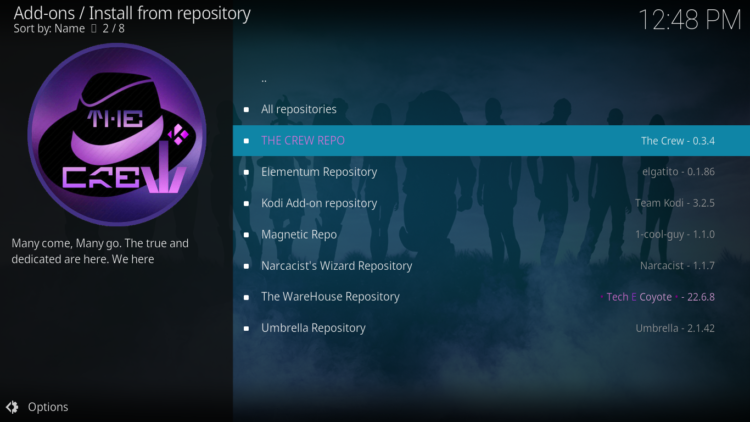
- Select The Crew Repository
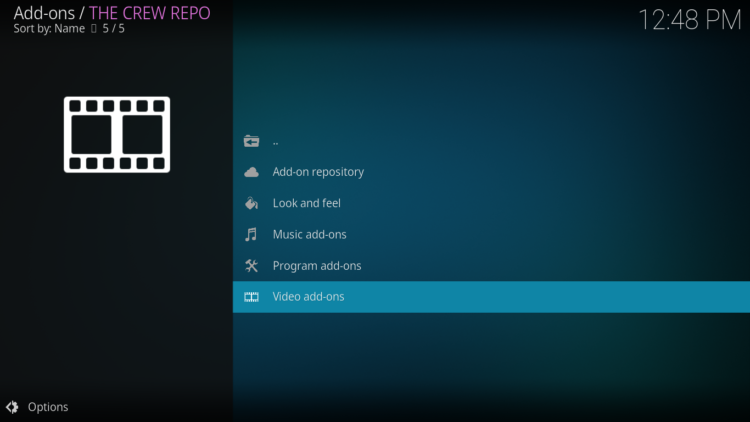
- Then, Video Add-ons
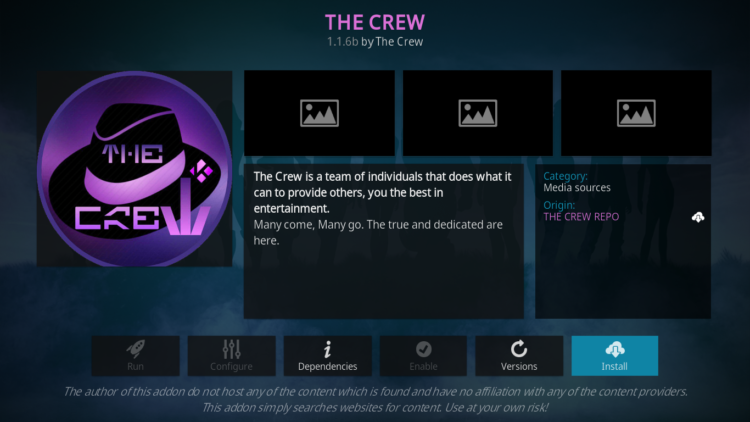
- Find the “Crew” addon and click on it
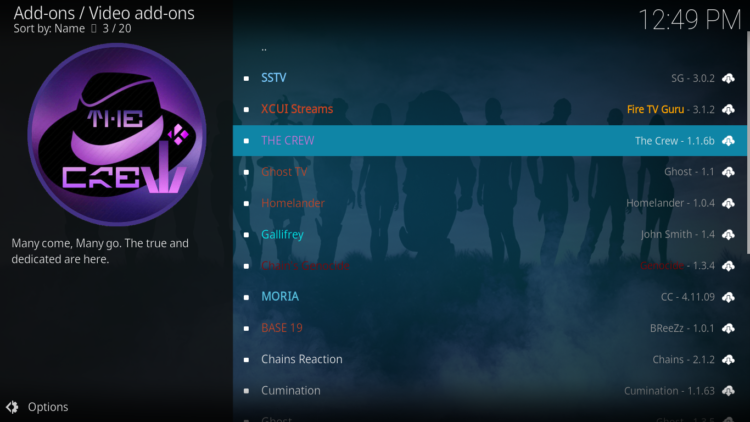
- Click on Install
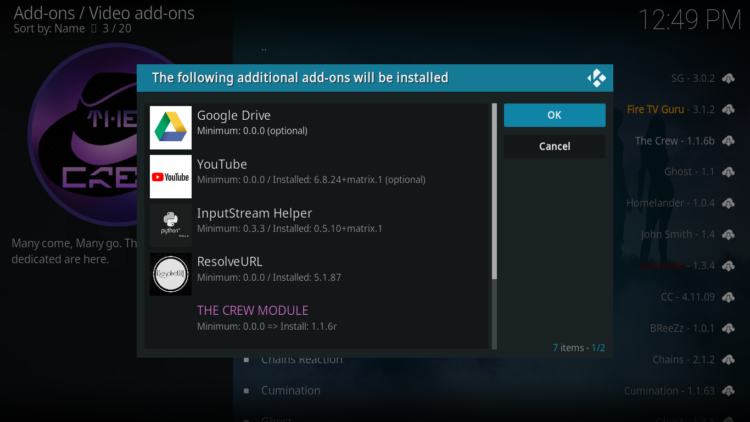
- Click OK to install the additional addons needed for the crew addon work smoothly.
- In a few seconds, a popup message will inform you that Crew addon is installed.
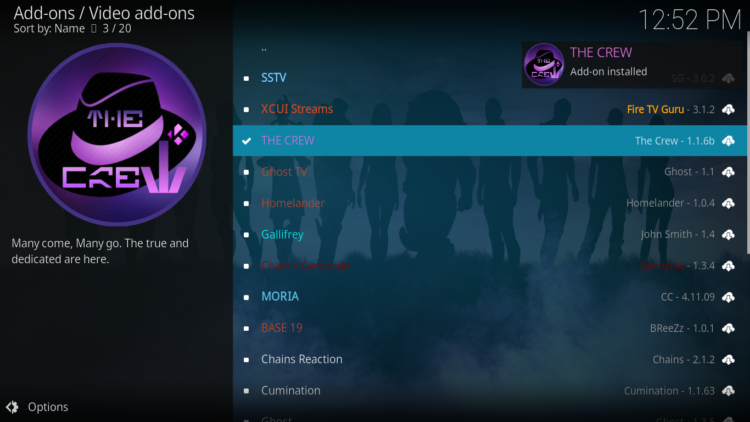
And that’s all for the installation of The Crew Kodi addon
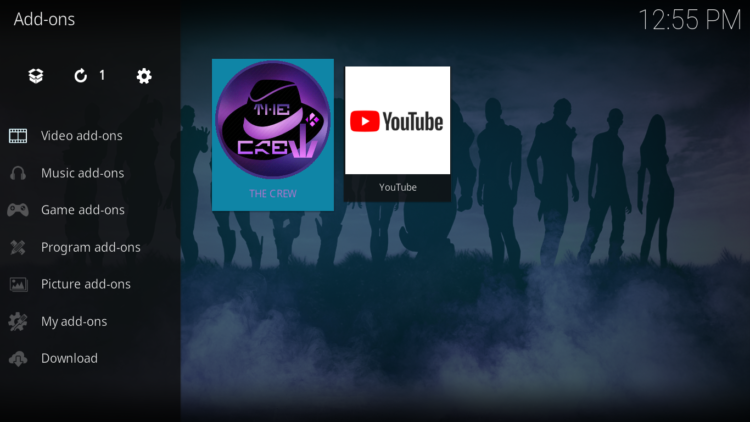
To access your newly installed addon, return to the Kodi home screen. In the main menu on the left, scroll down and find the Add-ons option, under the Video Add-ons category, you should find The Crew addon
Configure Real-Debrid in The Crew Kodi addon
The Crew Kodi addon is a streaming addon for watching movies and TV series on Kodi for both free and Debrid Links. This addon supports premium services such as Real-Debrid, All-Debrid, and Premiumize.
However, among all these services, Real-Debrid is the most recommended.
Real-Debrid is an online service that allows you to link your Kodi addon with your real-debrid account. The service is paid and offers unlimited access to multiple file hosts and can greatly improve the quality and quantity of available sources.
To connect Real Debrid with The Crew Addon, you need to have an active Real Debrid account, in case you don’t already have one. Then, start the Crew addon
- In the main menu, click Tools.
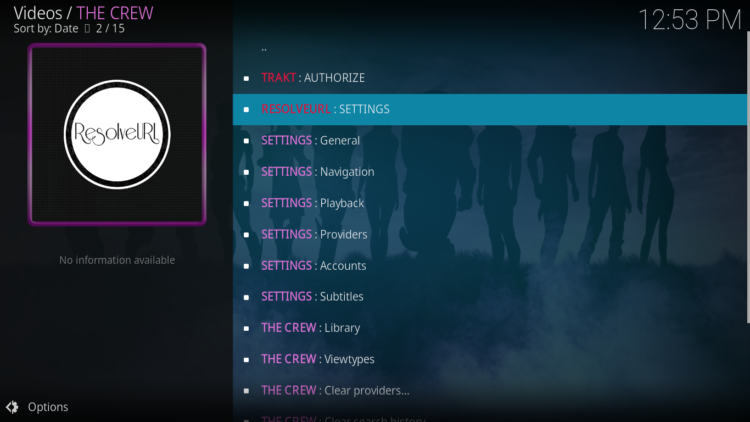
- Then select RESOLVEURL: SETTINGS
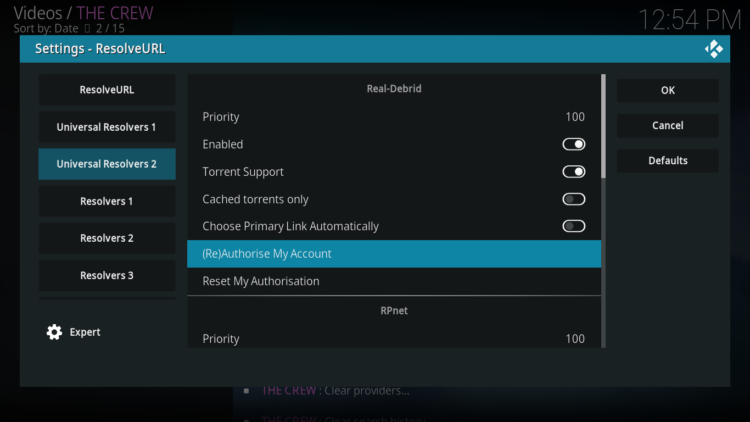
- Under the Universal Providers tab, scroll down and find real-debrid then press (Re)Auth Real-Debrid
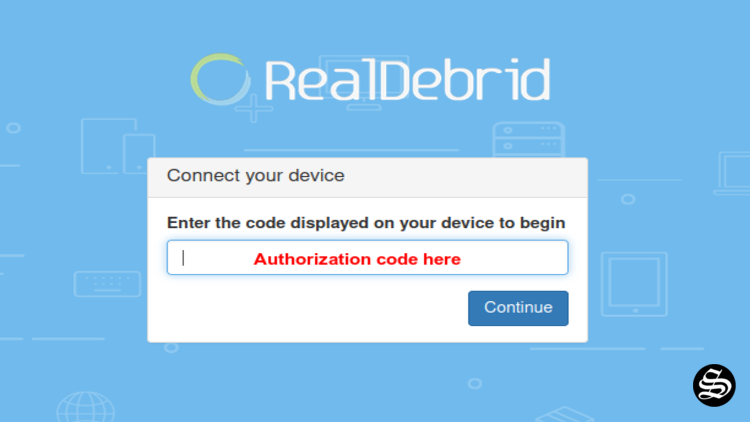
- Next, you will see a message showing an authorization code.
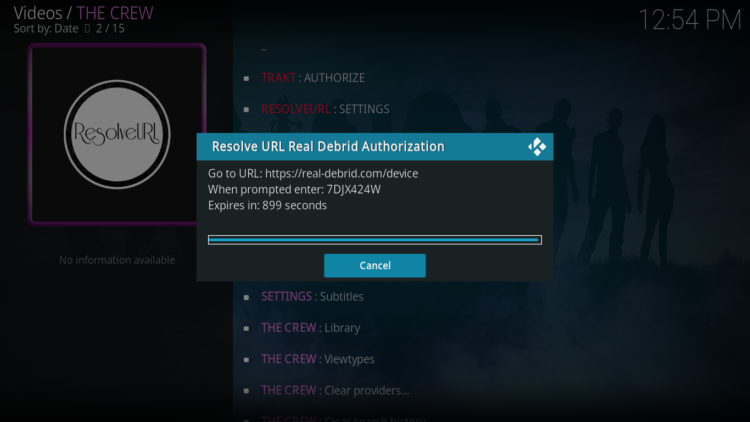
- You must enter the given code in your Real Debrid account to authorize the Crew addon access. To do this, go to this URL, enter the code displayed on Kodi and click Continue.
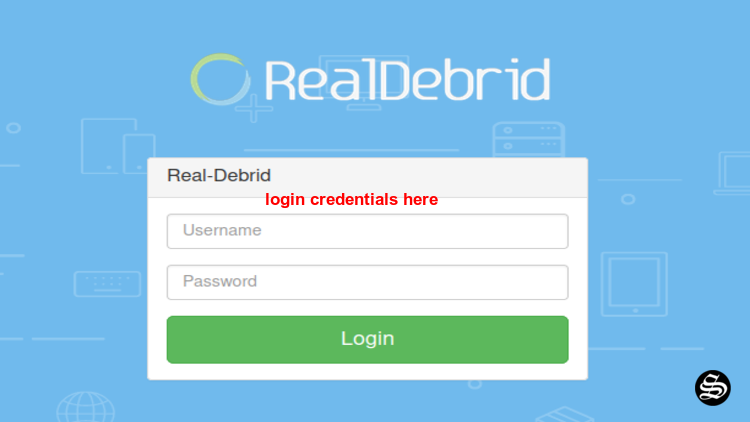
- In case you have not accessed your Real Debrid account, you will be asked to enter your access credentials.
- You may want to give a name to this new entry to easily identify it later
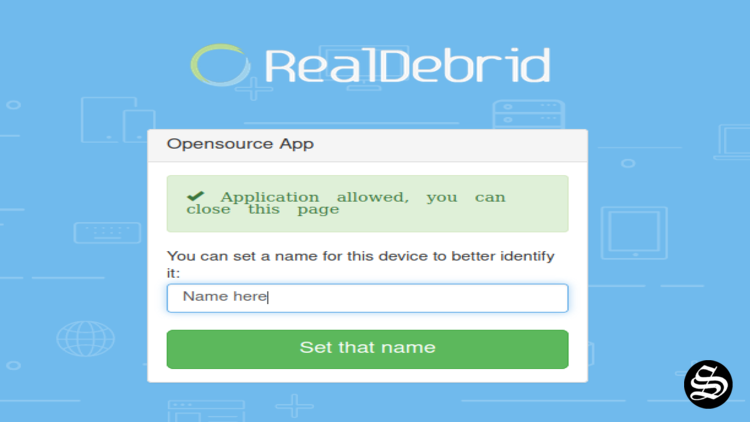
- If everything goes well, you will see a confirmation message on Kodi indicating that the authentication in Real Debrid was successful.
By connecting Real Debrid with The Crew Addon, you can enjoy a wider selection of high-quality streaming links. These premium links offer improved video resolution, reduced buffering, and enhanced audio quality.
It is worth noting that Real Debrid is a subscription-based service, offering different pricing plans to cater to users’ needs.
You can choose from various subscription options, ranging from monthly to yearly plans. The service provides excellent value for money, as it unlocks premium streaming links across multiple add-ons and platforms.
Connecting Trakt with The Crew Addon
Another notable feature of The Crew Addon is its integration with Trakt, a popular platform that enhances the streaming experience by tracking your watched history and providing personalized recommendations.
By connecting Trakt with The Crew Addon, you can enjoy a more personalized and convenient streaming experience.
To connect Trakt with The Crew Addon, you need to have an active Trakt account. Once logged in, you can navigate to the settings menu within The Crew Addon and locate the Trakt section. Here, you can authorize the integration by entering your Trakt account information.
By linking Trakt with The Crew Addon, you can synchronize your watched history across multiple devices. This means that you can easily resume watching your favorite movies or TV shows from where they left off, regardless of the device they are using.
Additionally, Trakt integration enables you to discover new content based on your viewing habits, providing personalized recommendations tailored to your preferences.
Furthermore, Trakt integration enhances the social aspect of streaming. you can connect with friends and share your viewing activities, creating a sense of community within The Crew Addon.
This feature allows you to discover new content recommended by your friends and engage in discussions about your favorite movies and TV shows.
Detailed Description of The Crew Kodi Addon
The Crew Movies & TV Shows
The Crew Kodi Addon offers an extensive collection of movies and TV shows, making it a must-have for any Kodi user.
This addon provides users with access to a vast library of content, ranging from the latest blockbusters to classic films and popular TV series.
With The Crew Kodi Addon, users can explore an extensive catalog of movies from various genres, including action, comedy, drama, horror, and more.
The addon ensures a diverse selection of titles, catering to different preferences and tastes. Whether you are in the mood for a thrilling adventure or a heartwarming romance, The Crew Kodi Addon has a movie for every occasion.
In addition to movies, The Crew Kodi Addon offers a comprehensive collection of TV shows. Users can access popular TV series from different genres, such as crime, sci-fi, fantasy, and documentaries.
The addon provides users with the convenience of streaming entire seasons or individual episodes, ensuring that they can keep up with their favorite shows.
Furthermore, The Crew Kodi Addon excels in providing reliable and high-quality streaming links. The addon utilizes advanced algorithms to fetch the best available sources for each movie or TV show. This ensures that users can enjoy smooth playback with minimal buffering and excellent video and audio quality.
The Crew Kodi Addon also offers additional features to enhance the overall streaming experience. Users can create their playlists, allowing them to organize their favorite movies and TV shows for easy access.
The addon also supports subtitles, enabling users to enjoy content in different languages or for the hearing impaired. With its extensive content library, reliable streaming capabilities, and user-friendly interface, The Crew Kodi Addon is a top choice for Kodi users seeking a comprehensive and enjoyable streaming experience.
The addon continues to evolve and improve, ensuring that users have access to the latest movies and TV shows.
The Crew Categories
The Crew Kodi addon offers several categories of content, each tailored to serve different interests and preferences.
In the Movies category, you can find an extensive collection that contains both popular blockbusters and lesser-known films. From action-packed thrillers to heartwarming dramas, The Crew provides a large selection that caters to diverse cinematic tastes.
The TV Shows category offers a similar display of options, allowing you to indulge in your favorite series or explore new and exciting shows across various genres.
For parents seeking family-friendly content, the Kids category is a gold mine of animated movies, educational programs, and entertaining TV shows suitable for children of all ages.
The Sports category offers sports events, highlights, and analysis. Whether it’s football, basketball, or any other sport, you can stay up to date with your favorite teams and athletes.
Fitness enthusiasts can find a wealth of workout videos and tutorials in the Fitness category. From yoga and cardio to strength training, The Crew has an extensive collection of different fitness goals and preferences.
Additionally, with the IPTV category, you can stream live TV channels from around the world to enjoy a diverse array of content across various genres and languages.
With its comprehensive range of content categories, The Crew Kodi addon lets you easily navigate through a vast library of content and find something that aligns with your specific interests and preferences.
This was all about installing et setting up The Crew addon on Kodi. However, don’t forget to use a VPN before streaming anything on kodi to protect your online streaming activities and avoid copyright infringement issues.
With a good VPN you will prevent yourself from malware. It masks your original IP and assigns you a new one to maintain anonymity while streaming. Our best recommendations are :